Annotation
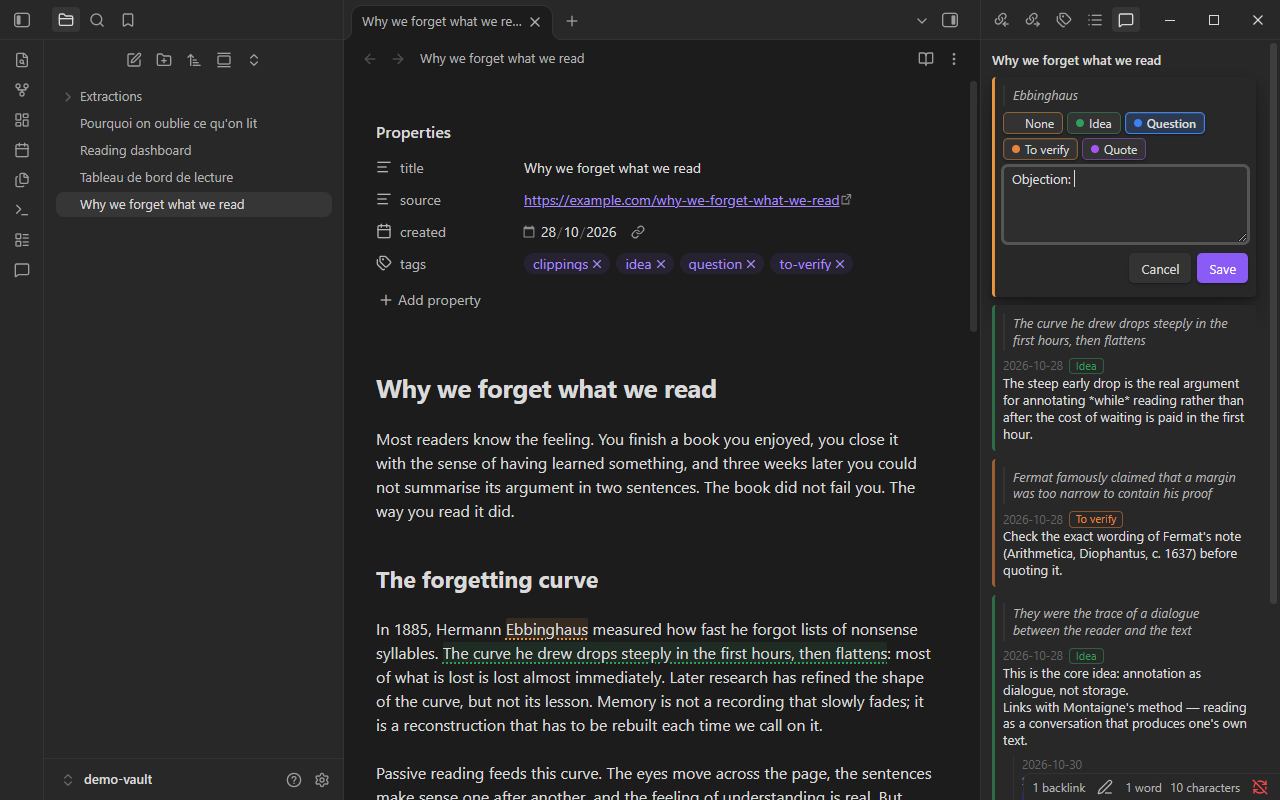
An Annotation gesture behaves like the command Comment on selection or cursor, with two differences: the draft opens with the category you chose, and the text field is prefilled with a starting text. It is QuickAdd’s Capture, applied to a comment.
interface AnnotationGeste extends GesteBase { kind: "annotation"; category: string | "ask" | ""; initialText: string;}Category
Section titled “Category”The Category field takes one of your categories, or one of two special values. Ask each time ("ask") shows a category picker before the draft opens. None ("") creates the comment without a category.
Starting text
Section titled “Starting text”The Starting text can contain variables, which are resolved when the gesture runs. The cursor is placed at {{cursor}} if the text contains it, at the end otherwise. A {{VALUE:label}} variable asks you for a value before the draft opens.
Two examples
Section titled “Two examples”These are given as examples; the plugin does not create them.
| Name | Category | Starting text |
|---|---|---|
| Objection | #objection |
Objection: |
| To verify | #to-verify |
Verify {{VALUE:what?}} |
The first opens a draft in the Objection category, ready for your argument. The second asks what needs checking, then writes “Verify …” with your answer, so the item reads well once extracted.
The method note Objection and verification shows these two gestures at work.