The margin
The idea
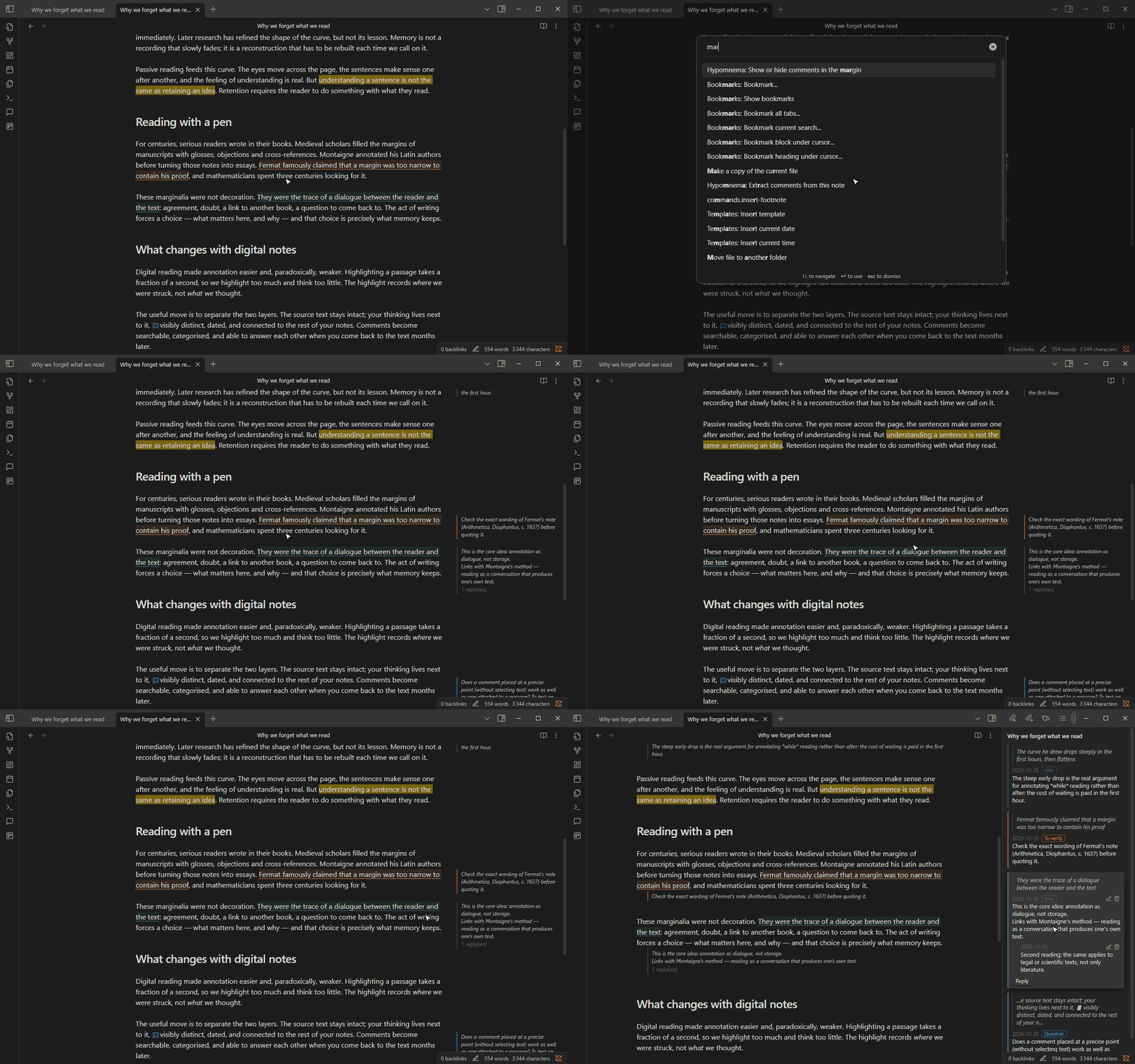
Section titled “The idea”In the panel, comments live in a tool beside the text: you go and look at them. In the margin, they are part of the page, and rereading the source means rereading yourself at the same time. The dialogue between the text and your remarks stays in view, as in a book annotated in pencil. A remark that no longer convinces you is noticed during the reread, instead of being stored and forgotten.
An example from a real reading
Section titled “An example from a real reading”On a second reading of Why we forget what we read, the margin shows, next to the passage on annotation as dialogue, the first-reading comment: “This is the core idea: annotation as dialogue, not storage.” Seen next to the passage, the comment calls for a nuance, written as a reply in the panel: the same applies to legal or scientific texts, not only literature. With Margin content set to Whole thread, both moments of the reading now sit side by side in the margin.
The setting
Section titled “The setting”Turn on Comments in the margin in Settings → Hypomnema, or run Show or hide comments in the margin. Set Margin content to Comment only for a light margin, or Whole thread to see the replies.
The margin needs space to the right of the text: keep Readable line length on in Obsidian’s Editor settings, and close the right sidebar while you reread. On a narrow pane, comments move below their paragraph.
Variants
Section titled “Variants”A hotkey for rereading. Give Show or hide comments in the margin a hotkey, and switch the margin on only for the second reading, so the first stays unmediated.
Below the paragraph on purpose. Turning off Readable line length sends every comment below its paragraph, which reads like a commentary interleaved with the text. Useful on a tablet.
Margin and panel together. Keep the panel open on another tab group for writing, and the note in a wide pane for the margin.