Categories
The idea
Section titled “The idea”A category says what kind of thought a comment holds: an idea, a question, a doubt, a quotation to keep. Choosing the category at the moment of writing forces a small decision about your own reaction to the text. Over time, the list of categories becomes a description of how you read, and changing it changes the way you read.
An example from a real reading
Section titled “An example from a real reading”Reading Why we forget what we read, the passage on the forgetting curve gets an Idea: annotating during reading, not after. The mention of Fermat’s note in the margin of Diophantus gets To verify, because the wording must be checked before quoting it. A doubt about point comments gets a Question. Three categories, three different follow-ups: an idea to develop, a source to check, a test to run.
The setting
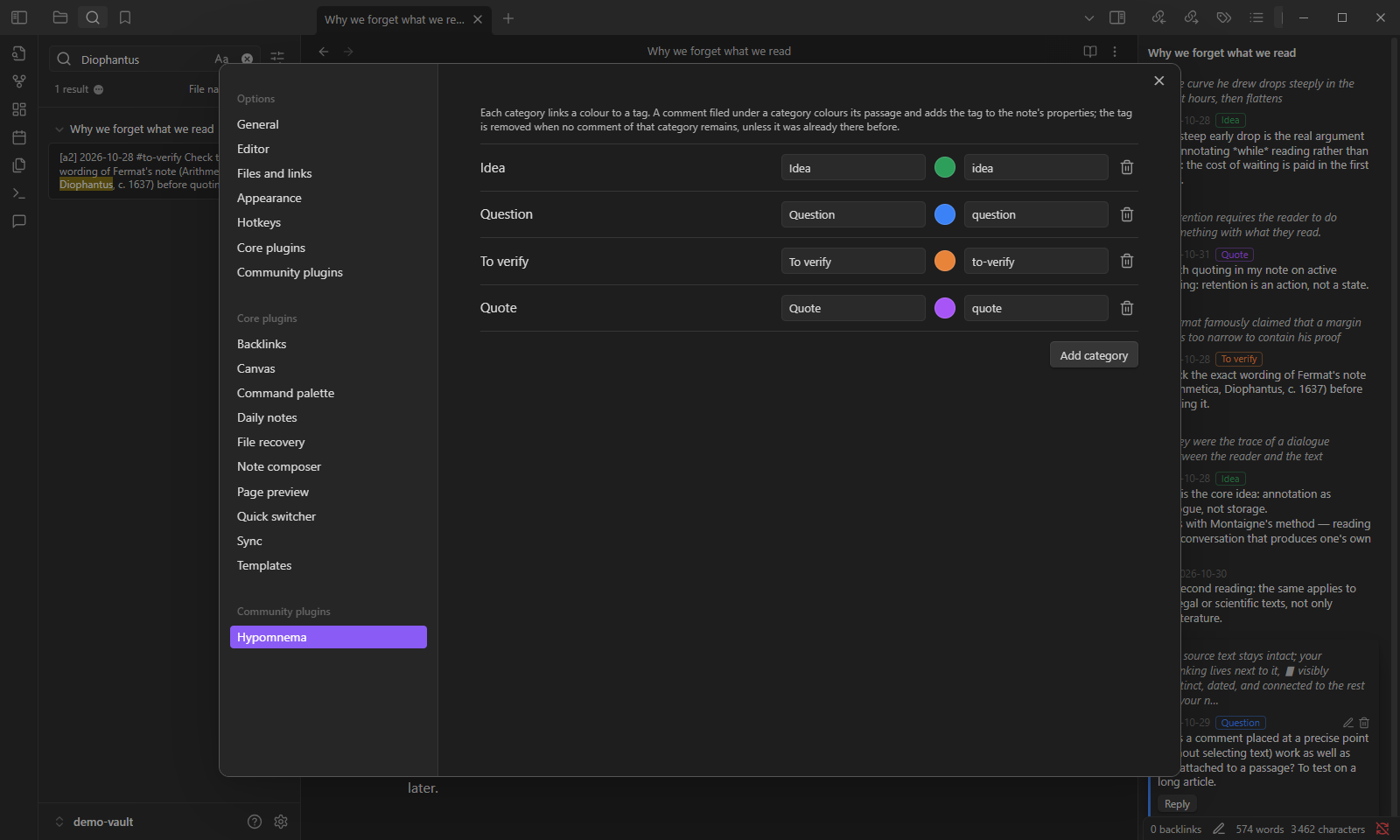
Section titled “The setting”Categories are set in Settings → Hypomnema → Categories. Each one has a name, a colour and a tag. A starting set could be:
| Name | Colour | Tag |
|---|---|---|
| Idea | green | idea |
| Question | blue | question |
| To verify | orange | to-verify |
| Quote | purple | quote |
When a comment gets a category, the tag is added to the note’s tags property. It is removed when no comment of that category remains, unless the note already had the tag. A comment can also stay without a category.
Variants
Section titled “Variants”Fewer categories. Two are enough to start: Keep and Doubt. Add a third only when you notice you keep writing the same kind of comment.
Categories by follow-up. Name categories after what you will do with the comment rather than what it is: To write, To check, To discuss. The Kanban extraction then gives one column per action.
Shared tags. Reuse tags you already have in your vault, such as project/x, so commented notes show up next to your other notes on the same subject.
Extraction by category. From version 0.5.0, an extraction can keep only some categories, for instance a “to verify” list across the whole vault.